

Hexa Stack 3D
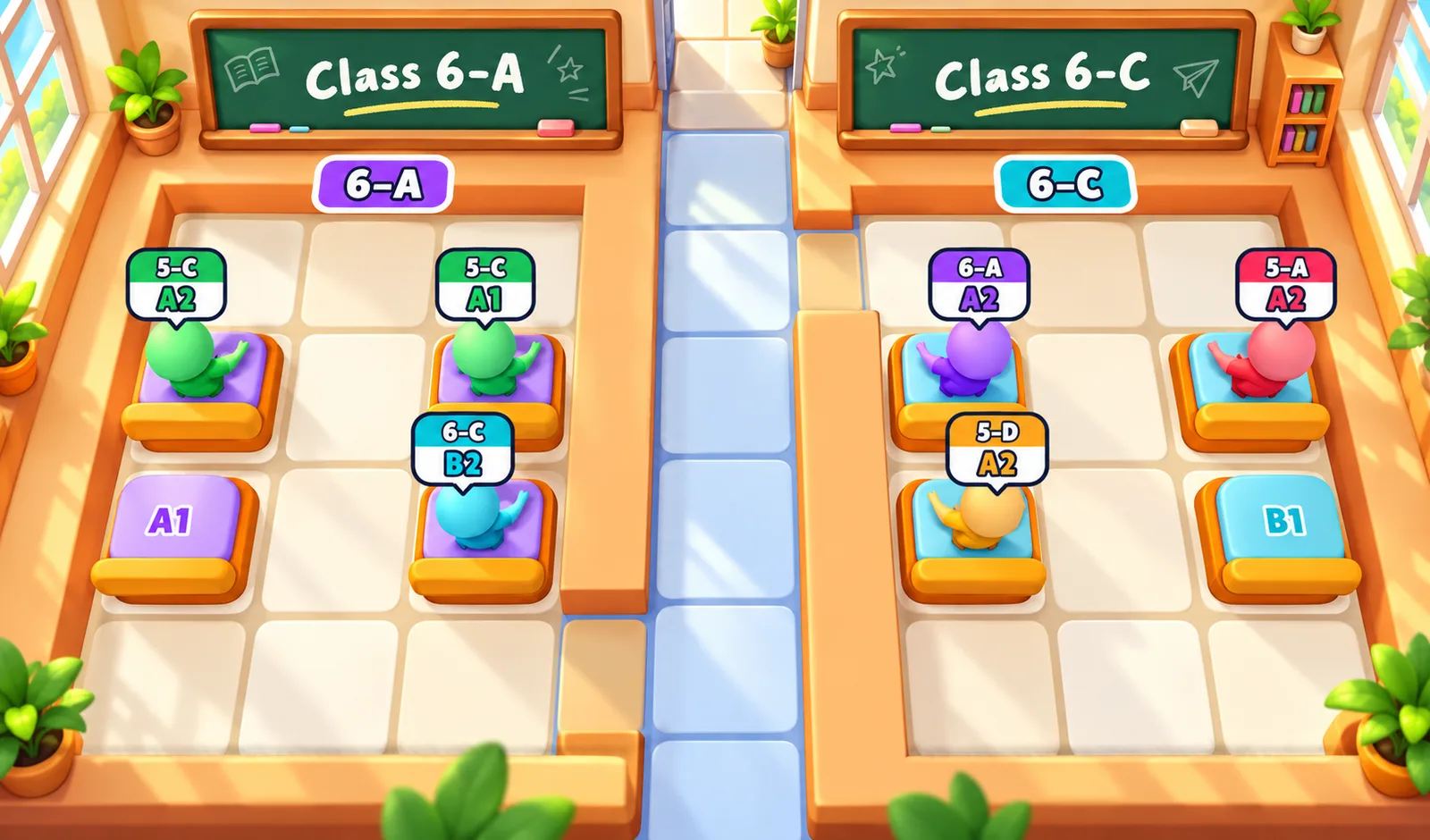
 Class Seat Jam
Play next
Game details
Tap students to send them to their own seats. Clear the way, beat the clock and seat every class across 100 school levels.
Developer: PLAYKOVO
Class Seat Jam is a 3D seat puzzle set in a busy school. Every student is sitting in the wrong seat, and it is your job to get each one back where they belong before the clock runs out. Tap a student and they run straight to their own seat, as long as the way is clear. Seated students and desks block the path, so the order of your moves matters: send the wrong student first and someone gets trapped. Every student wears a tag with their seat code, like B2 for column B, row 2, and the seat letters and numbers are painted on the classroom walls. The school grows as you play. You start in a single classroom, then move to hallways with several classes, then to a school yard where students cross between buildings, and finally to a full campus. In bigger maps the tag also shows the class, such as 5-A or 5-C, and each class has its own badge so you always know where to go. From level 8, sleepy students join in: tap once to wake them up, then again to send them to their seat. When you get stuck, boosters help: undo your last move, get a hint for a safe next move, send a blocking student home, or add 30 seconds to the clock. Earn coins for every student you seat and every level you clear, open a reward chest every 5 levels, collect a daily gift, and spend your coins on hats for the students and new seat styles. 100 levels mix easy, normal and hard puzzles, and every level can be solved.
Tap a student to send them to their own seat. They can only go if the path to the seat is free. Match the tag above each student to the seat code: the letter is the column and the number is the row, both painted on the classroom walls. In levels with several classes, the top of the tag shows the class. Plan your order so no one gets blocked, and seat everyone before the timer ends. Use boosters when you get stuck.
Tap or click a student to send them to their seat. Drag to move the view, and pinch or use the mouse wheel to zoom. Tap the booster buttons to undo, get a hint, remove a student or add time.
You might also like
Liked this one? You'll probably enjoy Hexa Stack 3D and Donut Sort: Color Stacking Puzzle too.
Yes. You can open the Class Seat Jam game page on PlayKovo for free.
No. Class Seat Jam opens in the browser, so the PlayKovo game page does not require an installer.
Class Seat Jam is listed with both desktop and mobile support. Check the controls section on this page for the inputs available on your device.
Tap a student to send them to their own seat. They can only go if the path to the seat is free. Match the tag above each student to the seat code: the letter is the column and the number is the row, both painted on the classroom walls. In levels with several classes, the top of the tag shows the class. Plan your order so no one gets blocked, and seat everyone before the timer ends. Use boosters when you get stuck.
Tap or click a student to send them to their seat. Drag to move the view, and pinch or use the mouse wheel to zoom. Tap the booster buttons to undo, get a hint, remove a student or add time.
Guide
Choose a letter puzzle or a sliding number board, with practical first-session advice for two PlayKovo games that reward thinking ahead.
Not every puzzle genre trains the same skill. Here's what each type does, plus the games worth adding to a daily mental warmup.
Keep exploring
 Top
TopGo Kart Racing Game
Obby: Battle Arena
 Featured
Warbirds.io
 Featured
imposter Duck : Online
Sprunki World Online RP - Play with Friends!
 Featured
Just Blow UP
 Featured
Underrun
 Featured
Toy Box Challenge
Tap 3D Wood Block Away
 Featured
LOLShot.io
 Featured
Muscle Run
 Featured
Crowd Rush 3D
 Featured
Wriggle.io
Color Brawls
We use optional cookies for site analytics and site advertising. You can change your choice later. Privacy policy.